
Which of the following file types allows macOS users to uninstall software completely by placing the file in the trash?
Which of the following is found in an MSDS sheet for a battery backup?
A technician verifies that a malware incident occurred on some computers in a small office. Which of the following should the technician do next?
A user is trying to install a preferred word processor on their work laptop, but the installation fails each time. Which of the following is most likely the cause of this failure?
A technician needs to disable guest log-ins on domain-joined desktop machines. Which of the following should the technician use?
A user notices that their smartphone's data usage has increased significantly even when the device is not in use. The phone feels warm, and its battery drains quickly. Which of the following should the user do to address this issue?
A user wants to dispose of a failed hard drive in a way that ensures the data is unrecoverable. Which of the following is the best at-home method?
Thousands of compromised machines are attempting to make fake purchases from an online store. Which of the following is taking place?
A technician needs to map a shared drive from a command-line interface. Which of the following commands should the technician use?
A help desk technician needs to remove RAM from retired workstations and upgrade other workstations that have applications that use more memory with this RAM. Which of the following actions would the technician most likely take?
A user is trying to install new software. The application downloads successfully, but when the user attempts to install it, the user receives a prompt for credentials. Which of the following would the technician most likely do to resolve this issue?
A technician inspects the following workstation configuration:
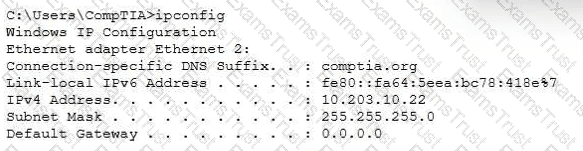
The workstation is unable to open any external websites. The browser displays an error message that says that the site cannot be reached.
Which of the following is an example of an application publisher including undisclosed additional software in an installation package?
An organization sees unauthorized apps installed and licensing prompts. What should the security team do?
A user wants to dispose of a failed hard drive in a way that ensures the data is unrecoverable. Which of the following is the best at-home method?
Various alerts on a user's Windows 11 laptop are continually interrupting videoconference calls. Which of the following should a support technician recommend to best solve the issue?
An engineer notices that many websites prompt users to input login and payment details. The engineer wants to require the browser to encrypt communications. Which of the following best helps to protect sensitive data?
Which of the following Linux commands is used to read another command's documentation?
A technician reviews an organization's incident management policy. The organization uses a third-party vendor with multiple tools to protect its assets. What service type is this?
A technician is preparing to replace the batteries in a rack-mounted UPS system. After ensuring the power is turned off and the batteries are fully discharged, the technician needs to remove the battery modules from the bottom of the rack. Which of the following steps should the technician take?
An administrator is investigating a technical outage. The management team wants information that includes the summary of the outage and actions taken. Which of the following documentation should the administrator provide?
Technicians are failing to document user contact information, device asset tags, and a clear description of each issue in the ticketing system. What should the help desk management implement?
Due to recent security issues, the finance department requires a shorter screensaver timeout. Which of the following should a technician use to accomplish this task?
A user is attempting to open on a mobile phone a HD video that is hosted on a popular media streaming website. The user is receiving connection timeout errors. The mobile reception icon area is showing two bars next to 3G. Which of the following is the most likely cause of the issue?
A user's computer is running slowly. Web pages take several seconds to open, and applications are slow to respond. A technician opens the Windows Task Manager and sees the following:
Disk: 2%
Network: 12%
GPU: 15%
CPU: 70%
Memory: 97%
Which of the following would a technician most likely do to resolve the issue?
A technician thinks that an application a user downloaded from the internet may not be the legitimate one, even though the name is the same. The technician needs to confirm whether the application is legitimate. Which of the following should the technician do?
Which of the following prevents forced entry into a building?
A high percentage of users at an office store documents on their local computers. The office needs to migrate to the next version of Windows. Which of the following methods should a technician use?
Which of the following filesystems supports read and write operations for Windows, macOS, and Linux?
A help desk technician is setting up speech recognition on a Windows system. Which of the following settings should the technician use?
A user cannot upload files to corporate servers from their mobile device when outside the office, but uploads work fine in-office. What should a technician do to determine the root cause?
Which of the following file types would a desktop support technician most likely use to automate tasks for a Windows user log-in?
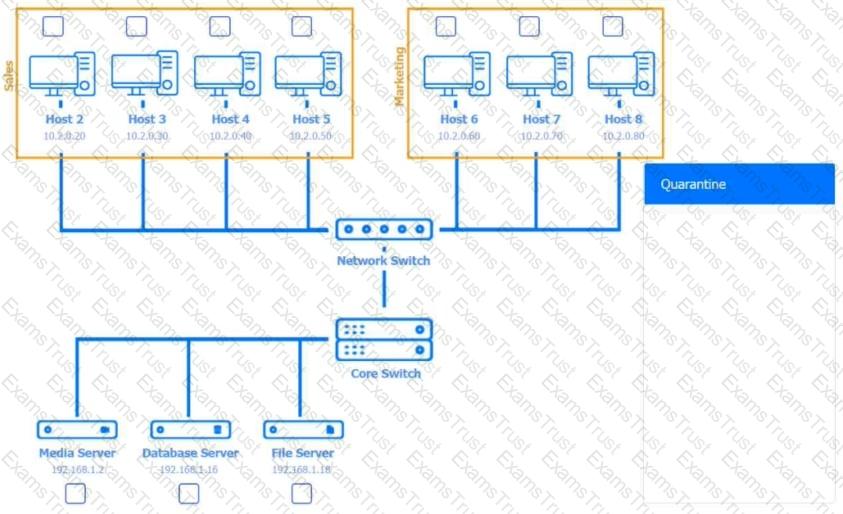
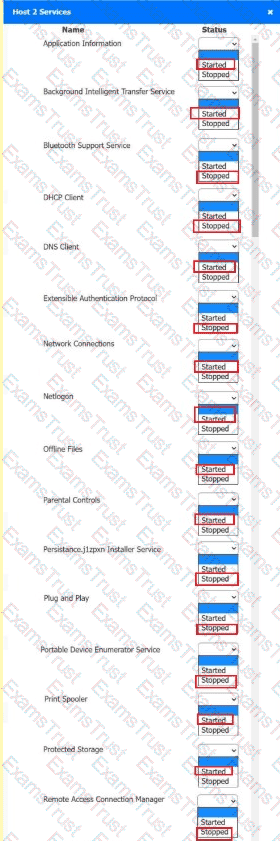
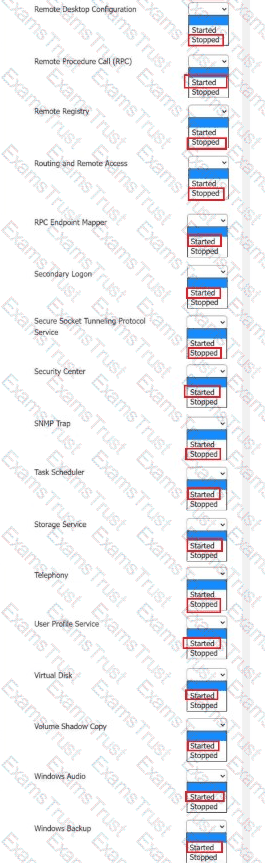
Multiple users are reporting audio issues as well as performance issues after downloading unauthorized software. You have been dispatched to identify and resolve any issues on the network using best practice procedures.
INSTRUCTIONS
Quarantine and configure the appropriate device(s) so that the users’ audio issues are resolved using best practice procedures.
Multiple devices may be selected for quarantine.
Click on a host or server to configure services.
If at any time you would like to bring back the initial state of the simulation, please click the Reset All button.










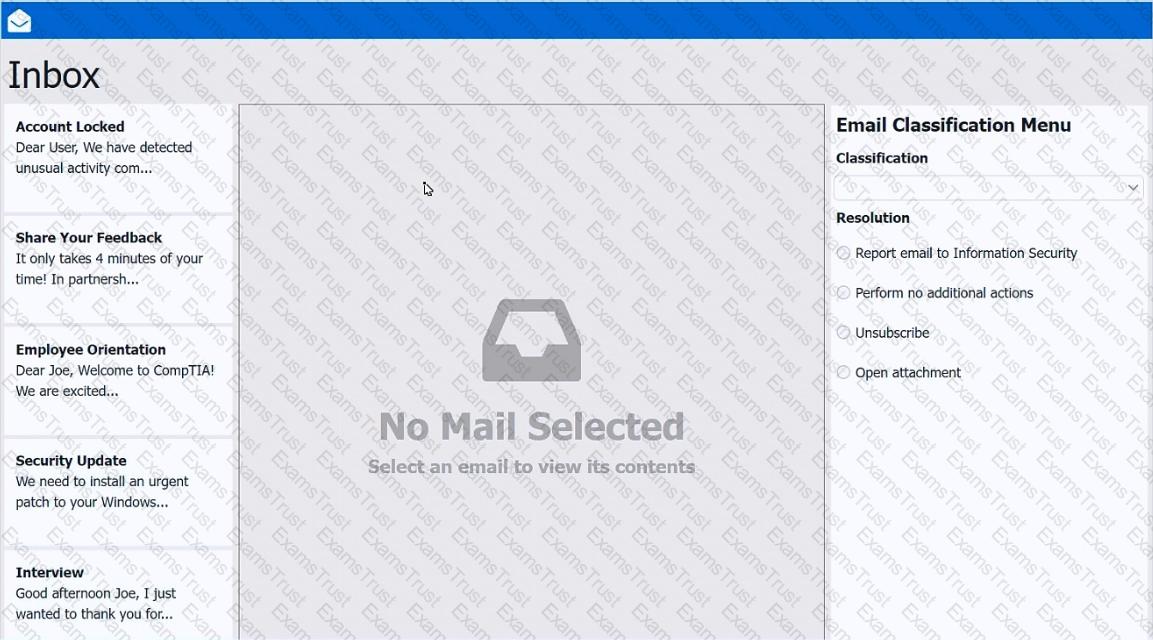
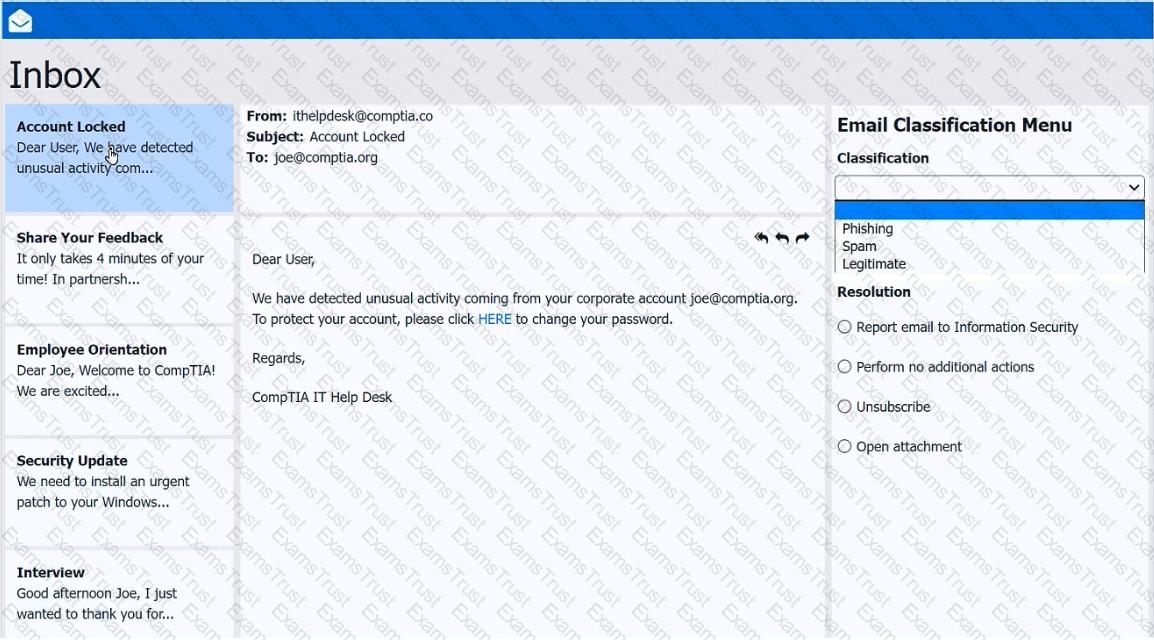
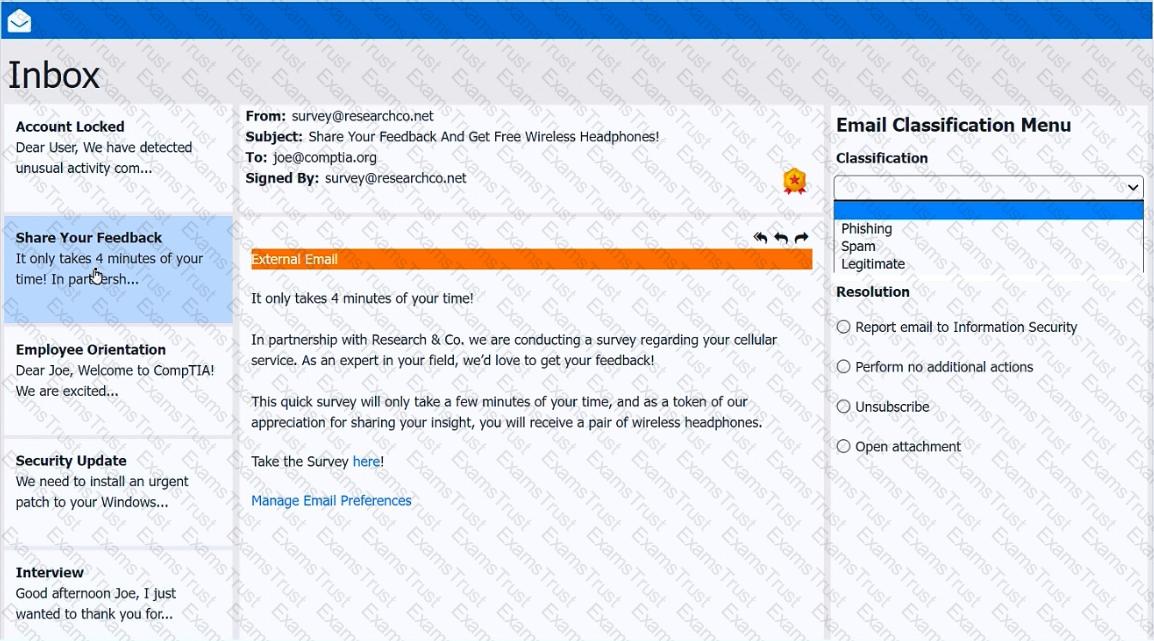
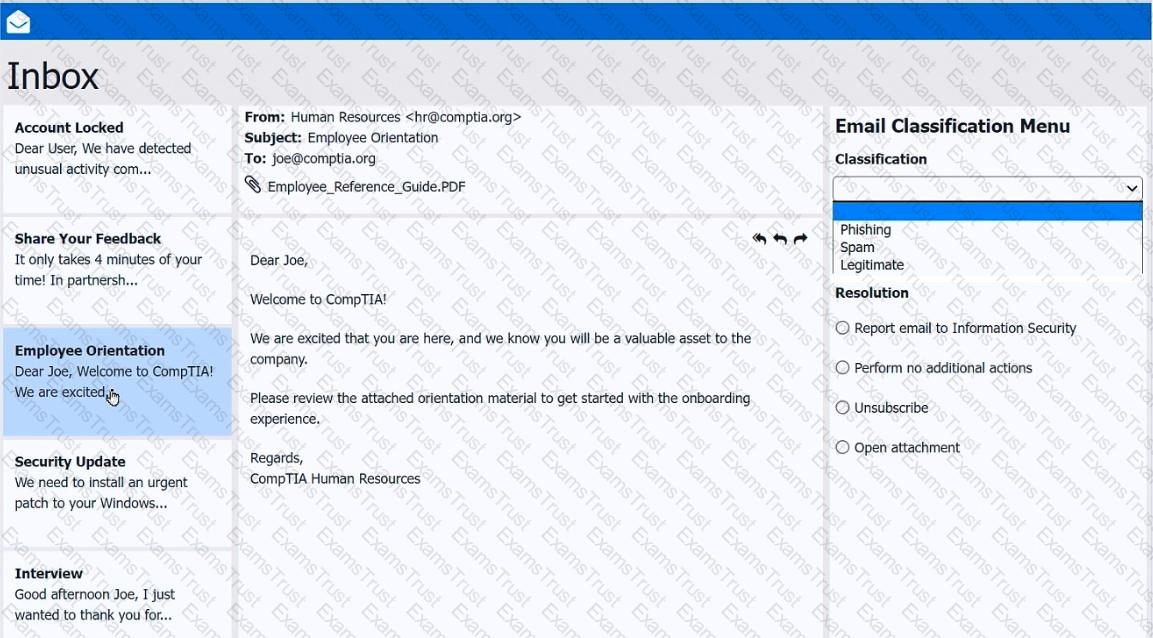
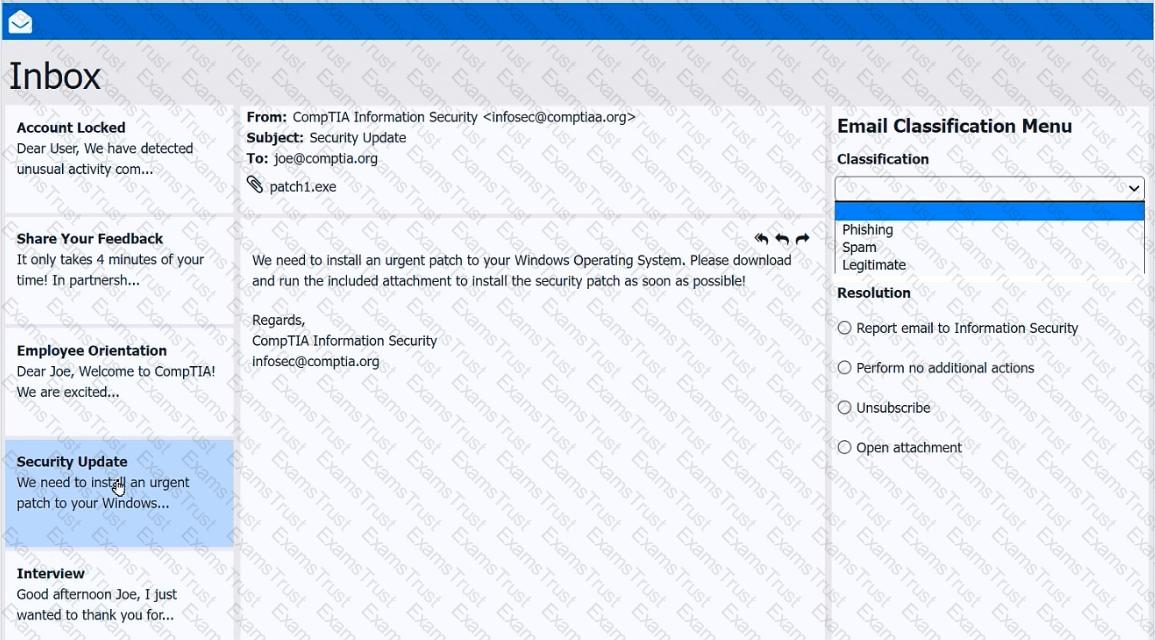
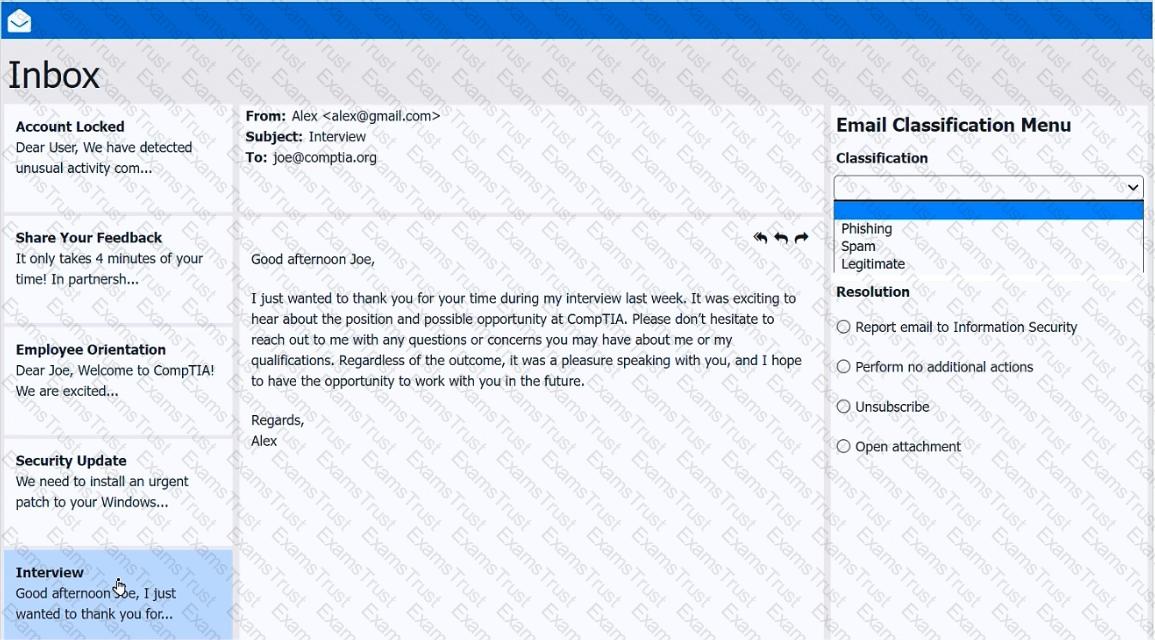
As a corporate technician, you are asked to evaluate several suspect email messages on a client's computer. Corporate policy requires the following:
>All phishing attempts must be reported.
>Future spam emails to users must be prevented.
INSTRUCTIONS
Review each email and perform the following within the email:
>Classify the emails
>Identify suspicious items, if applicable, in each email
>Select the appropriate resolution
If at any time you would like to bring back the initial state of the simulation, please click the Reset All button.
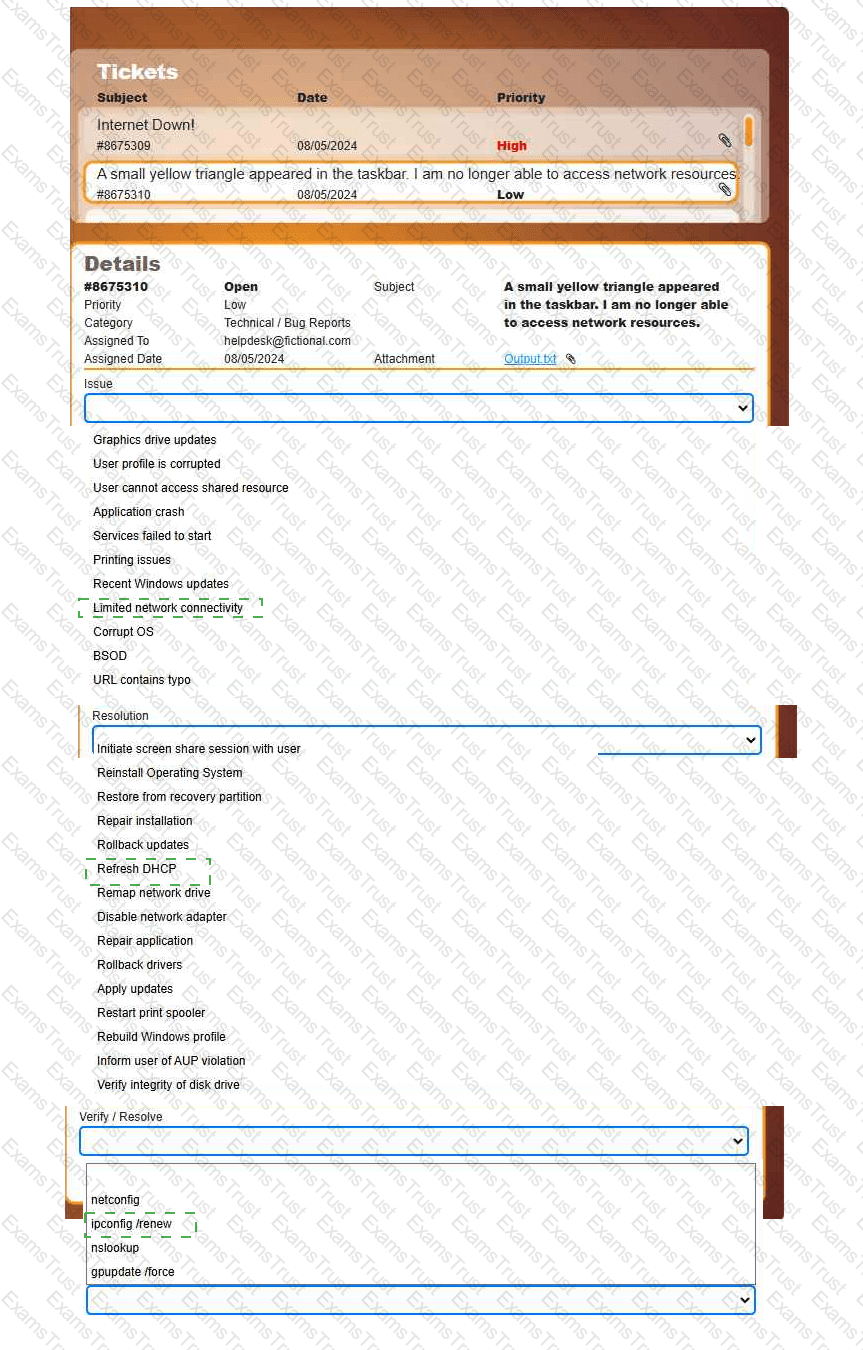
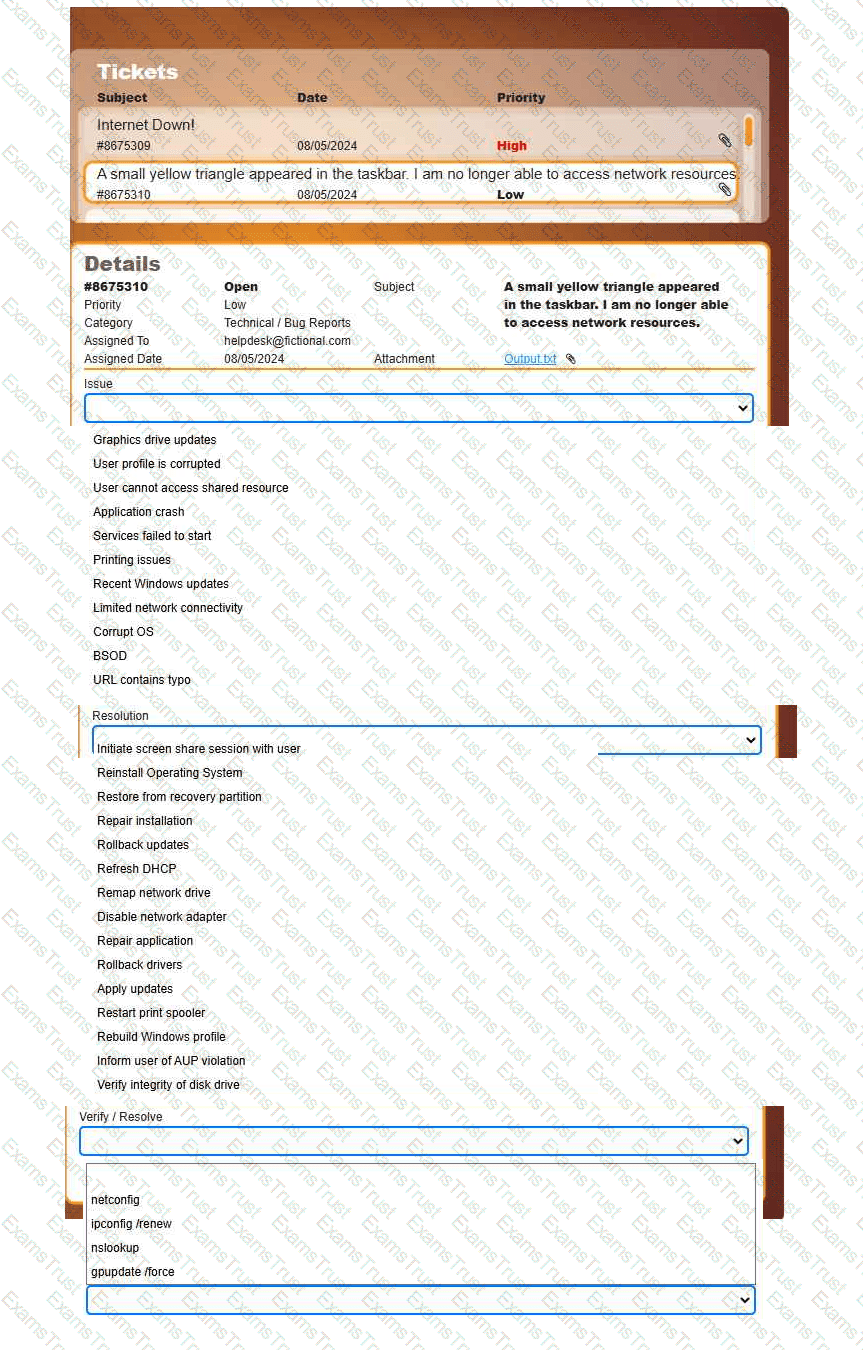
Welcome to your first day as a Fictional Company, LLC helpdesk employee. Please work the tickets in your helpdesk ticket queue.
INSTRUCTIONS
Click on individual tickets to see the ticket details, and view applicable attachments to
determine the problem.
Select the appropriate issue from the 'Issue' drop-down menu. Then, select the most
efficient resolution from the 'Resolution' drop-down menu. Finally, select the proper
command or verification to remediate or confirm your fix of the issue from the
'Verify/Resolve' drop-down menu.
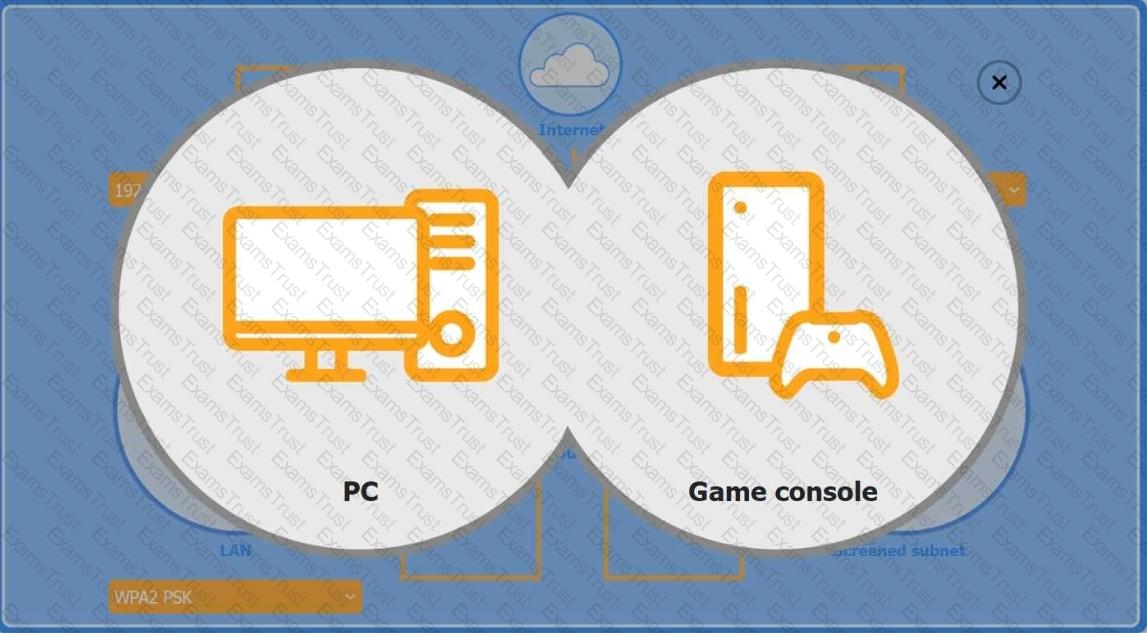
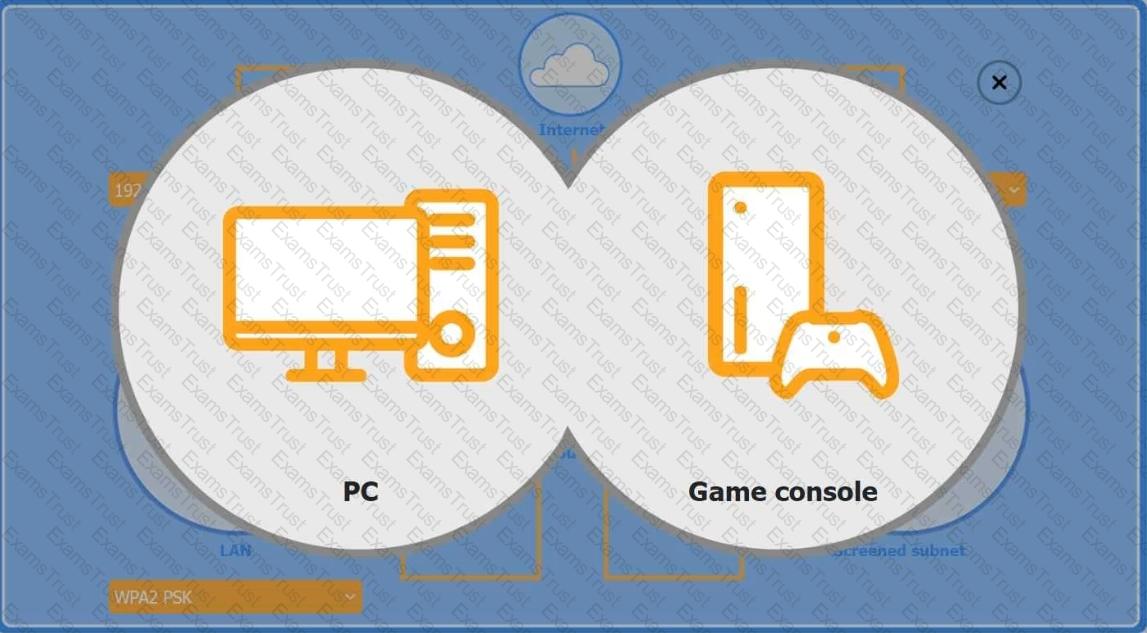
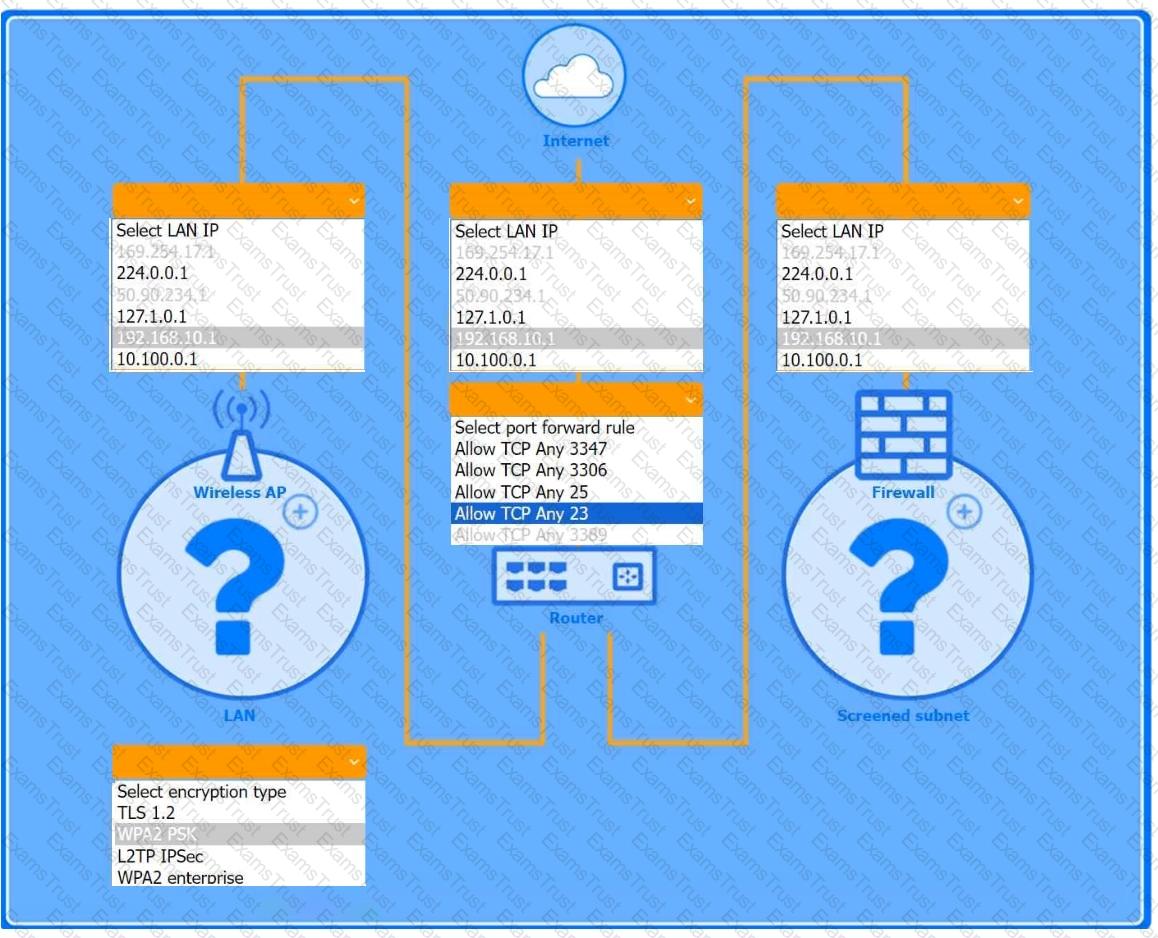
You are configuring a home network for a customer. The customer has requested the ability to access a Windows PC remotely, and needs all chat and optional functions to work in their game console.
INSTRUCTIONS
Use the drop-down menus to complete the network configuration for the customer. Each option may only be used once, and not all options will be used.
Then, click the + sign to place each device in its appropriate location.
If at any time you would like to bring back the initial state of the simulation, please click the Reset All button.
Wireless AP LAN
Firewall Screened Subnet
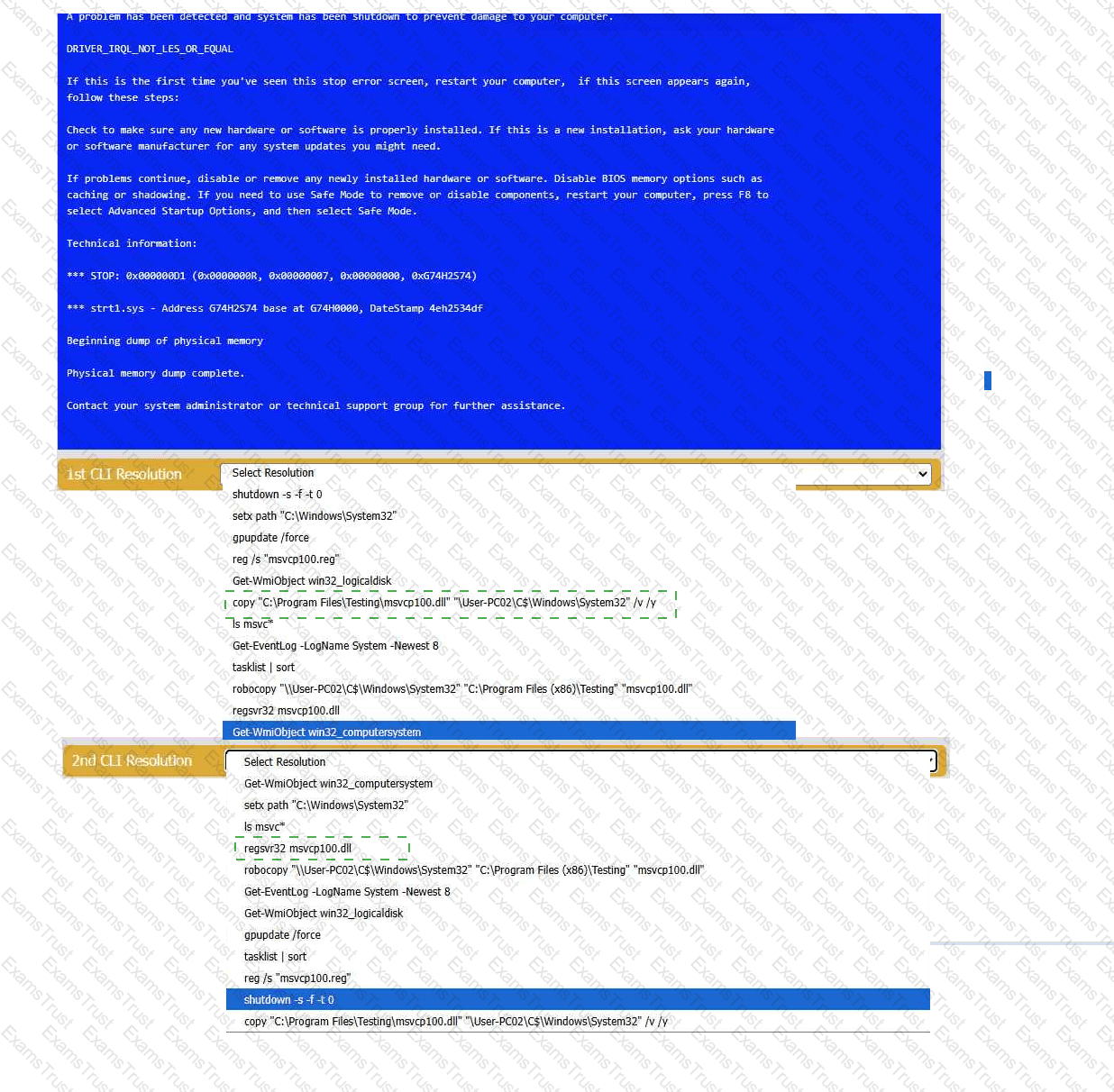
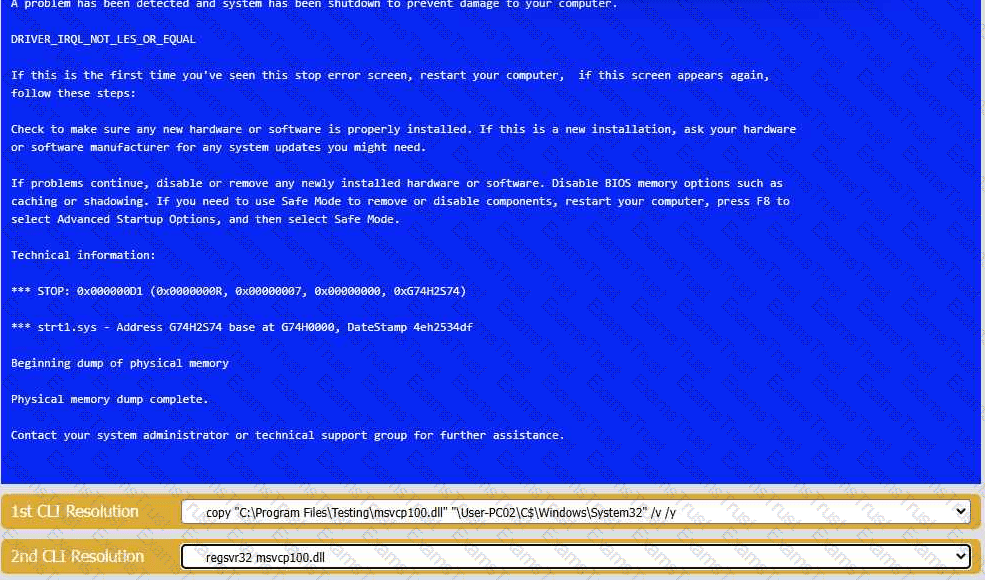
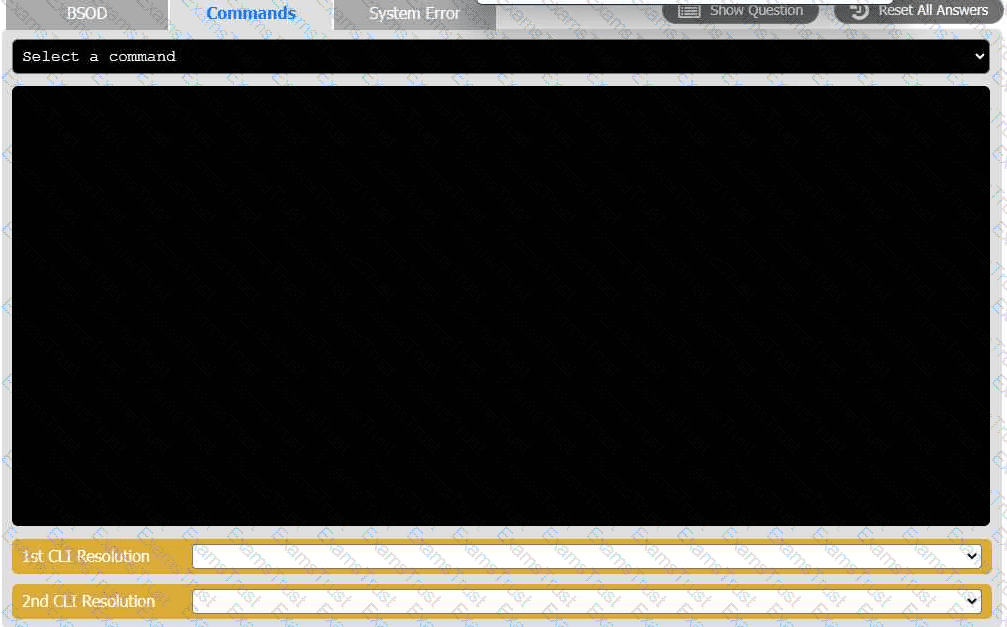
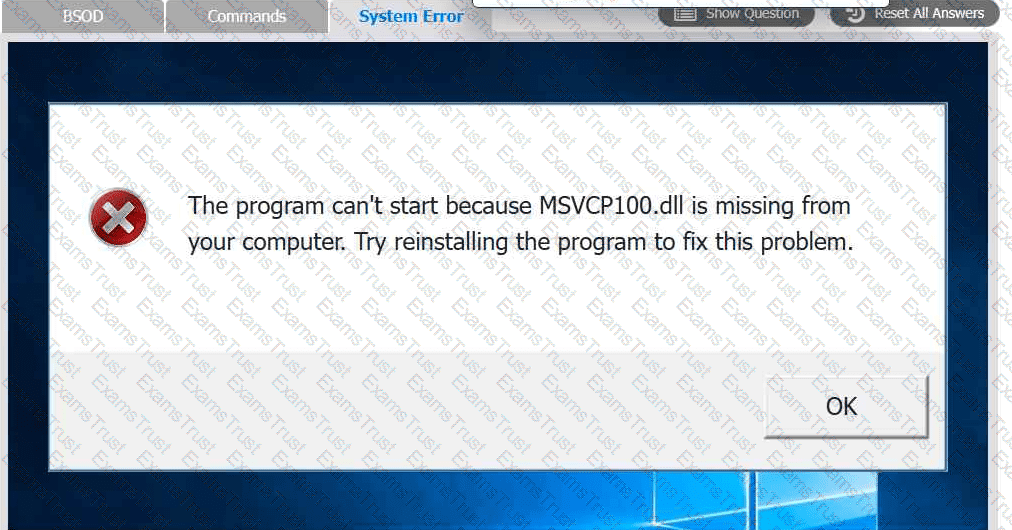
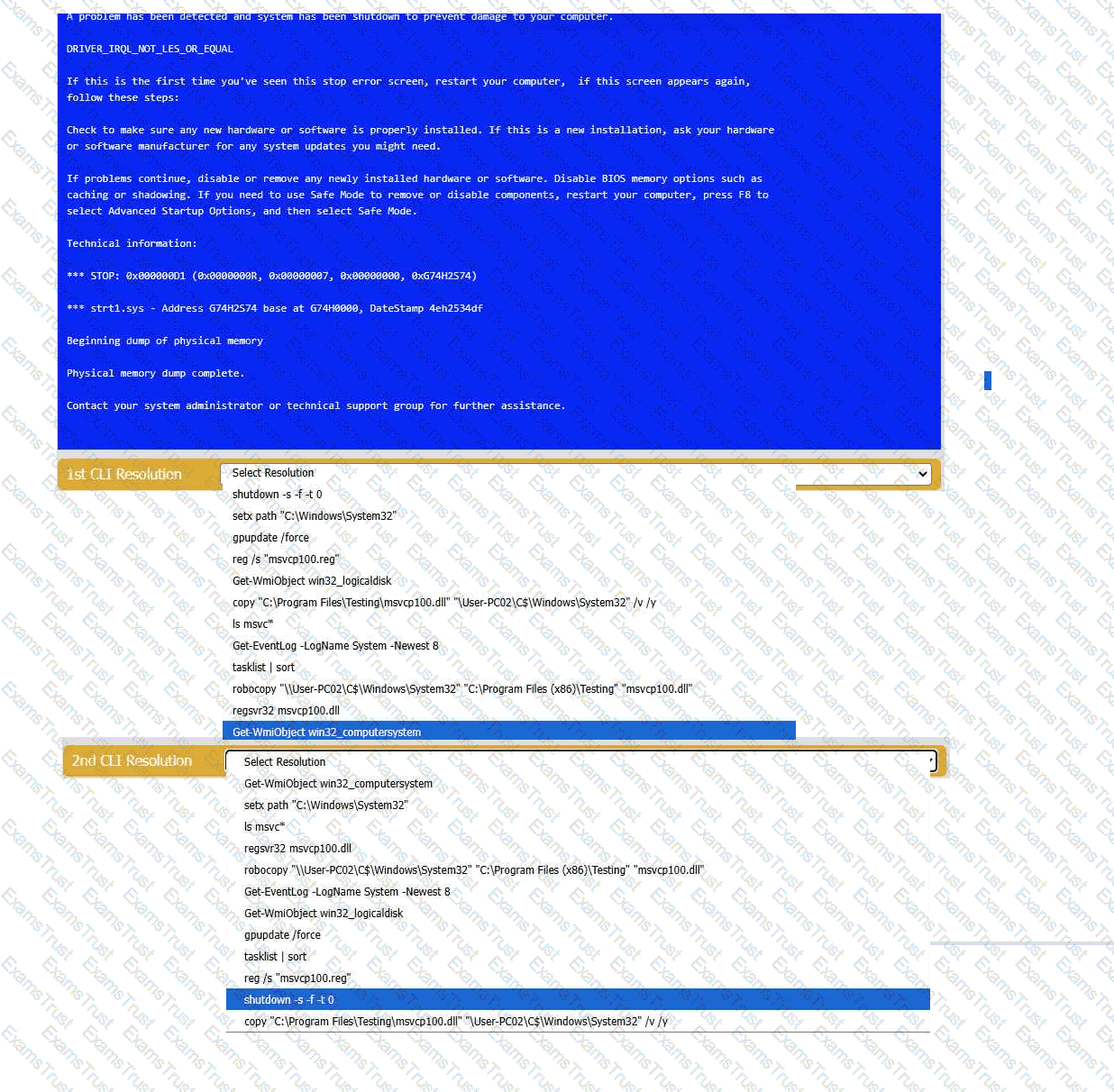
A user reports that after a recent software deployment to upgrade the Testing application, they can no longer use it. However, other employees can successfully
use the Testing program.
INSTRUCTIONS
Review the information in each tab to verify the results of the deployment and resolve
any issues discovered by selecting the:
· First command to resolve the issue
· Second command to resolve the issue
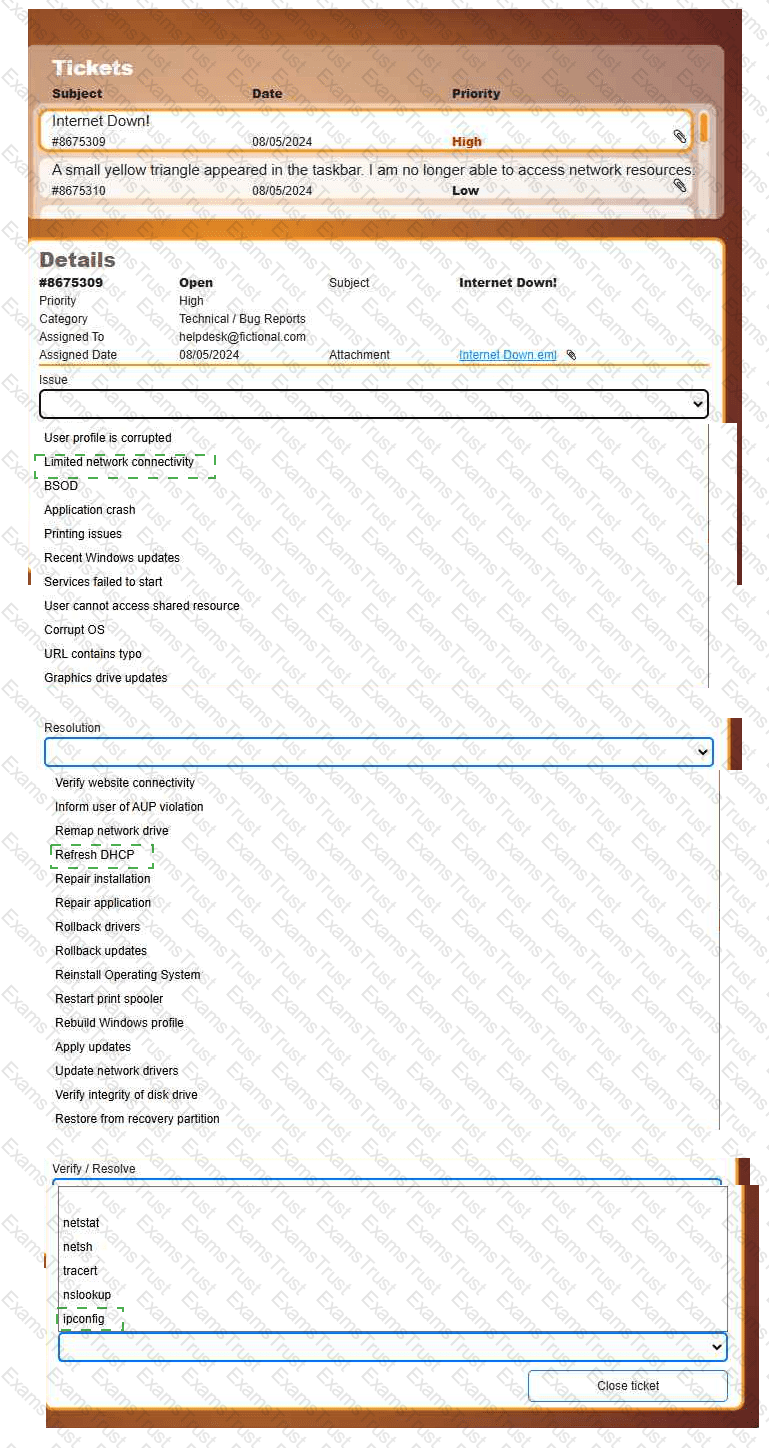
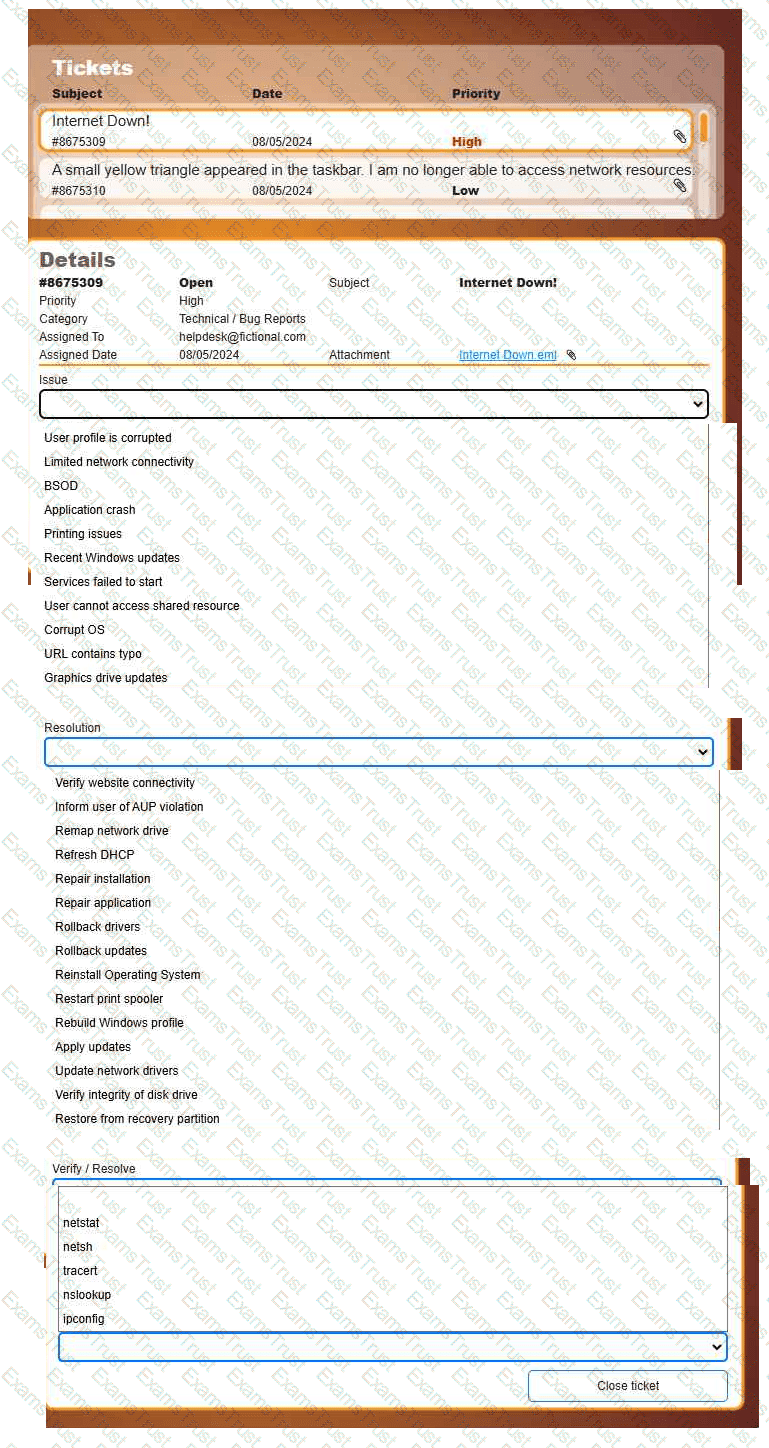
Welcome to your first day as a Fictional Company, LLC helpdesk employee. Please work the tickets in your helpdesk ticket queue.
INSTRUCTIONS
Click on individual tickets to see the ticket details, and view applicable attachments to
determine the problem.
Select the appropriate issue from the 'Issue' drop-down menu. Then, select the most
efficient resolution from the 'Resolution' drop-down menu. Finally, select the proper
command or verification to remediate or confirm your fix of the issue from the
'Verify/Resolve' drop-down menu.
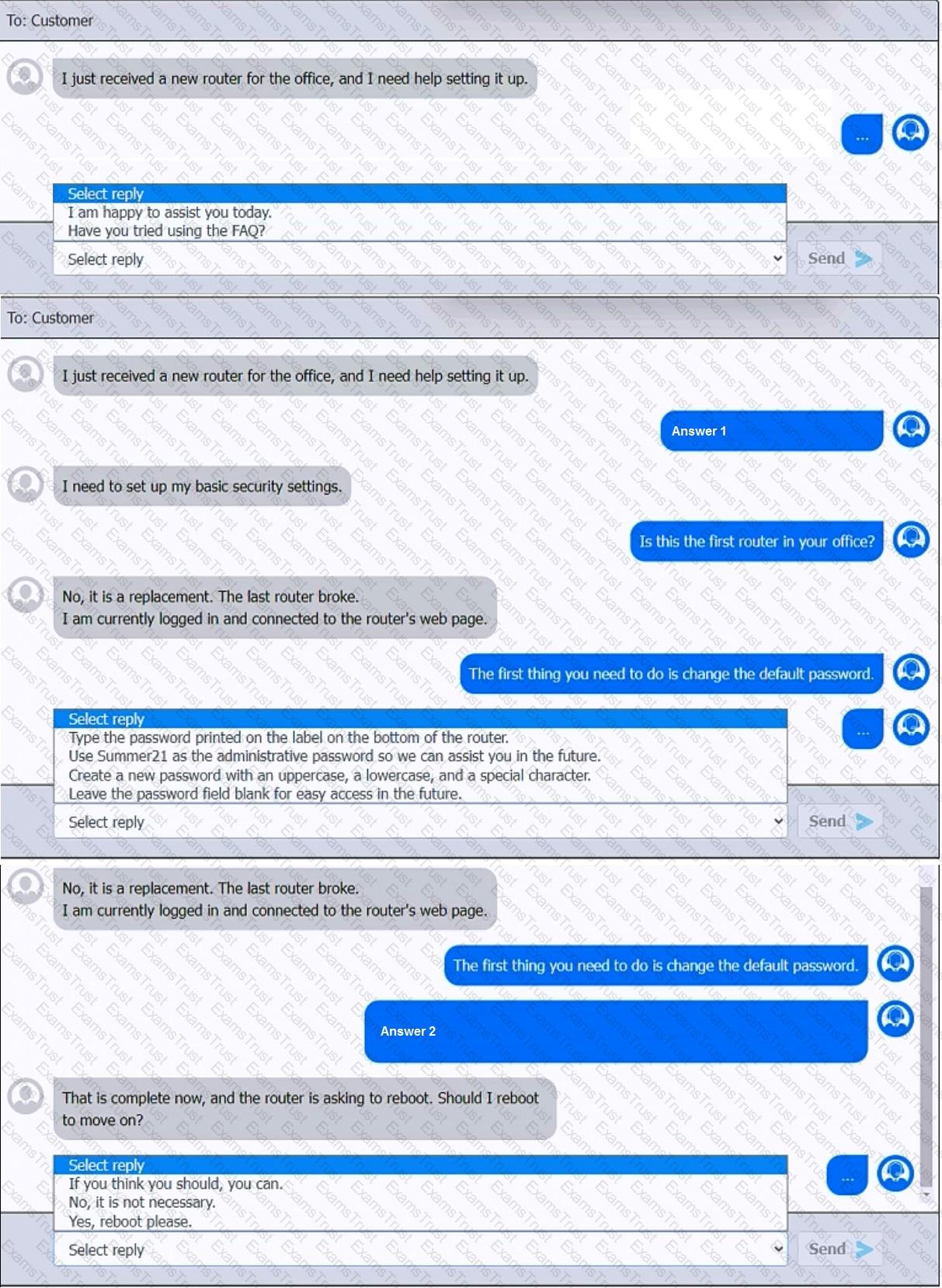
You have been contacted through the help desk chat application. A user is setting up a replacement SOHO router. Assist the user with setting up the router.
INSTRUCTIONS
Select the most appropriate statement for each response. Click the send button after each response to continue the chat.
If at any time you would like to bring back the initial state of the simulation, please click the Reset All button.
 A screenshot of a computer AI-generated content may be incorrect.
 A screenshot of a computer AI-generated content may be incorrect.